
Table of Contents
ToggleRing doorbell batteries don’t last forever, most models need replacement every 6–12 months depending on activity and weather. The good news? Swapping a Ring doorbell battery is straightforward and doesn’t require professional help or special tools. Whether your video feed keeps dropping or the device stopped alerting you altogether, a weak battery is often the culprit. This guide walks you through the entire process, from identifying your battery type to reinstalling a fresh one, so you can get your doorbell back to working reliably. Most homeowners finish this job in under 15 minutes.
Key Takeaways
- Ring doorbell battery replacement takes under 15 minutes and requires only minimal tools like a plastic shim, your smartphone, and a soft cloth—no professional help needed.
- Most modern wireless Ring Video Doorbells use rechargeable lithium-ion battery packs that last 6–12 months, so check your device settings in the Ring app to identify your specific battery type before purchasing.
- Always disconnect and reconnect the battery connector with gentle pressure and take reference photos before removal to ensure accurate reinstallation and avoid damaging the device.
- A successful Ring doorbell battery swap is confirmed when the app shows a strong battery level and good WiFi signal within 30–60 seconds of installation.
- If your Ring doorbell remains offline after replacement, simply disconnect the new battery, wait 10 seconds, and reconnect it to reset the connection.
Understanding Your Ring Doorbell Battery Type
Ring doorbell models use different battery types, and you need to know which one yours takes before you head to the store. Most wireless Ring Video Doorbell models (including the second, third, and later generations) use a rechargeable lithium-ion battery pack that slides into the device. Some older models or special variants might use standard AA or AAA alkaline batteries, but this is less common on current doorbells.
The easiest way to identify your battery is to check the product manual or look at the device itself. Open the Ring app, go to device settings, and select “Device Health”, it often displays battery type and current charge level. Alternatively, visit Ring’s support site and search your specific model number (usually found on the back of the doorbell). Lithium-ion packs cost $15–$40 and hold charge much longer than disposables, which is why Ring switched to them.
If you own a hardwired Ring doorbell (plugged into your home’s existing doorbell wiring), you technically don’t need to change a battery, it draws power from your home’s low-voltage transformer. But, many hardwired models still have a backup battery for power outages, and that backup pack does need periodic replacement. Knowing whether you have wireless, hardwired, or a hybrid model saves time and frustration.
Tools And Materials You’ll Need
Ring doorbell battery replacement requires minimal gear, and you likely have most of it at home.
Materials:
- Replacement battery pack (lithium-ion for most modern Ring doorbells, or AA/AAA batteries if your model uses them)
- Small plastic shim or flathead screwdriver (for prying open the battery compartment door without scratching)
Tools:
- Smartphone or tablet (to check battery status in the Ring app before and after)
- Flashlight or headlamp (helps if your doorbell is in a shaded corner)
- Soft cloth (to wipe dust or debris from the battery contacts)
That’s it. No power tools, no special screwdrivers, and no professional-grade diagnostics needed. If you don’t have a plastic shim, a credit card works fine, just use light pressure so you don’t crack the compartment door. The Ring app is your best friend here: it lets you monitor battery level during and after the replacement, so keep your phone handy. Avoid using a metal screwdriver directly on the battery compartment: while unlikely, it can risk scratching the waterproof seal.
Preparing Your Doorbell Before Battery Replacement
A little prep work prevents headaches and ensures the swap goes smoothly.
First, take a photo of your current doorbell’s placement and any cables or wiring nearby. If your Ring is hardwired, knowing the wire colors and their positions helps you reinstall safely. Next, open the Ring app on your smartphone and navigate to the device settings. Write down or screenshot your current WiFi network, password, and any custom notification settings, you’ll need these if the doorbell loses connection during the battery swap.
Check the current battery level in the app’s “Device Health” section. If it’s at 10% or lower, the doorbell may already be struggling to stay online. Don’t panic: a fresh battery fixes this. If your device is hardwired, flip the breaker switch or power off the transformer that powers your doorbell circuit. This prevents accidental short circuits while you work. Wireless-only Ring doorbells don’t have this step, just proceed.
Give the doorbell a visual inspection. Look for cracks, corrosion around battery contacts, or water damage. Minor condensation inside the lens is normal in humid climates, but visible rust on internal springs or electronics signals a deeper problem, consider contacting Ring support before replacing the battery. Finally, set aside 15–20 minutes when you won’t be interrupted. This isn’t an emergency, but having unrushed time reduces mistakes.
Removing The Old Battery Step By Step
Accessing The Battery Compartment
Most Ring Video Doorbells have a removable faceplate or battery door on the back or bottom of the unit. Look for a small notch or indentation, that’s your entry point. Using your plastic shim or flathead screwdriver, gently wedge it into the notch and apply steady, light pressure. Don’t hammer or pry aggressively: the door is held by a simple latch, not screws, and rough handling can crack the plastic.
The door should slide or hinge outward smoothly. If it’s stuck, try wiggling it slightly side-to-side while applying gentle downward pressure. Sometimes dust or weathered seals make it stubborn, but patience beats force. Once open, you’ll see the battery pack nestled inside, it’s usually a black or white rectangular unit with a connector cable.
Before touching anything, take a second photo of how the battery and connector are positioned. This reference shot is invaluable when reinstalling. If your doorbell has a hardwired backup battery, the connector may be more complex: a photo prevents miswiring.
Safely Disconnecting And Removing The Battery
Locate the connector cable that attaches the battery to the doorbell’s circuit board. It’s typically a small plastic plug with two pins or a ribbon cable. Gently grasp the connector (not the wires) and pull straight toward you with steady, even pressure. If it’s stiff, rock it slightly back and forth while pulling, never yank hard or twist, as this can bend pins and damage the connector.
Once the connector is free, the battery pack is just sitting in its compartment. Slide it out slowly. You may encounter light residue or dust inside the compartment: use your soft cloth to wipe the battery contacts and the female connector on the device itself. Clean contacts ensure reliable power delivery with the new battery.
Inspect the old battery for swelling, cracks, or corrosion. A slightly warm or swollen pack is a sign it failed under stress, normal wear and tear, but worth noting. Don’t attempt to recharge or reuse a swollen battery: recycling is the safe option. Most Best Buy locations and many retailers have battery recycling programs. Set the old battery aside in a safe place away from children and pets.
Installing Your New Battery
With the old battery removed, installation is the reverse process. Start by checking that your replacement battery matches your model number. Ring batteries aren’t universally interchangeable, so verify the part number on the packaging against your doorbell’s model.
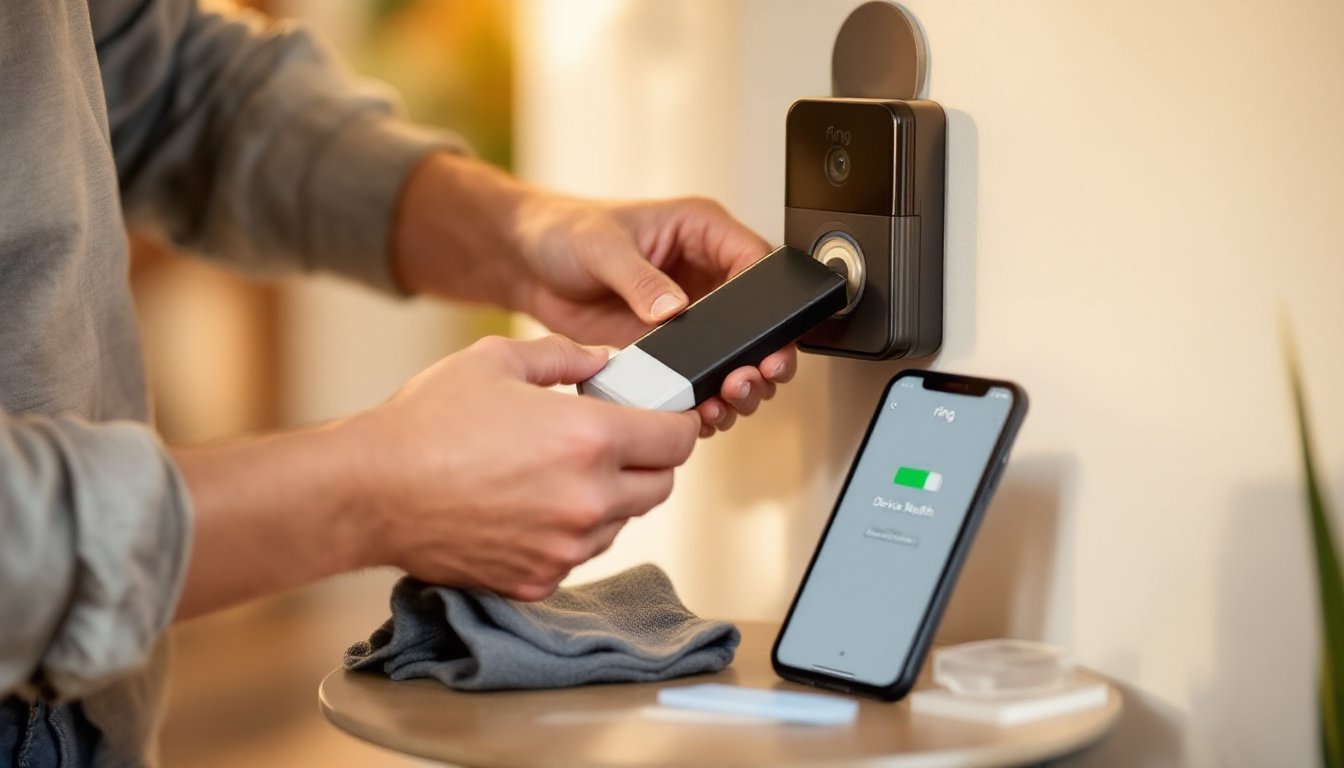
Slide the new battery into the compartment, aligning it in the same position as the old one (your reference photo helps here). The battery should fit snugly without forcing. Next, take the connector cable and align the plug with the female connector on the doorbell’s board. Press straight in with gentle, firm pressure until you hear or feel a soft click. The connection should be secure but not require excessive force.
Before closing the battery door, turn on your doorbell and check the Ring app, it should start showing a “good” battery level within 30–60 seconds. If the app shows “offline” or a very low battery, disconnect the battery, wait 10 seconds, and reconnect it. Sometimes a full reconnection is needed. Once the app confirms a strong battery and good WiFi signal, close the battery door. It should snap or slide into place without forcing.
Test the doorbell by pressing the button or triggering motion detection (walk past it). You should hear a chime through your speakers and see activity in the Ring app. If the doorbell responds, you’re done, your battery replacement was successful. If the device still shows offline or low battery after 2–3 minutes, check the connector one more time to ensure it’s fully seated. Occasionally a loose connection is the culprit. Once everything’s working, update your home security logbook (if you keep one) with the replacement date. Marking the date helps you estimate when the next replacement might be needed.