
Table of Contents
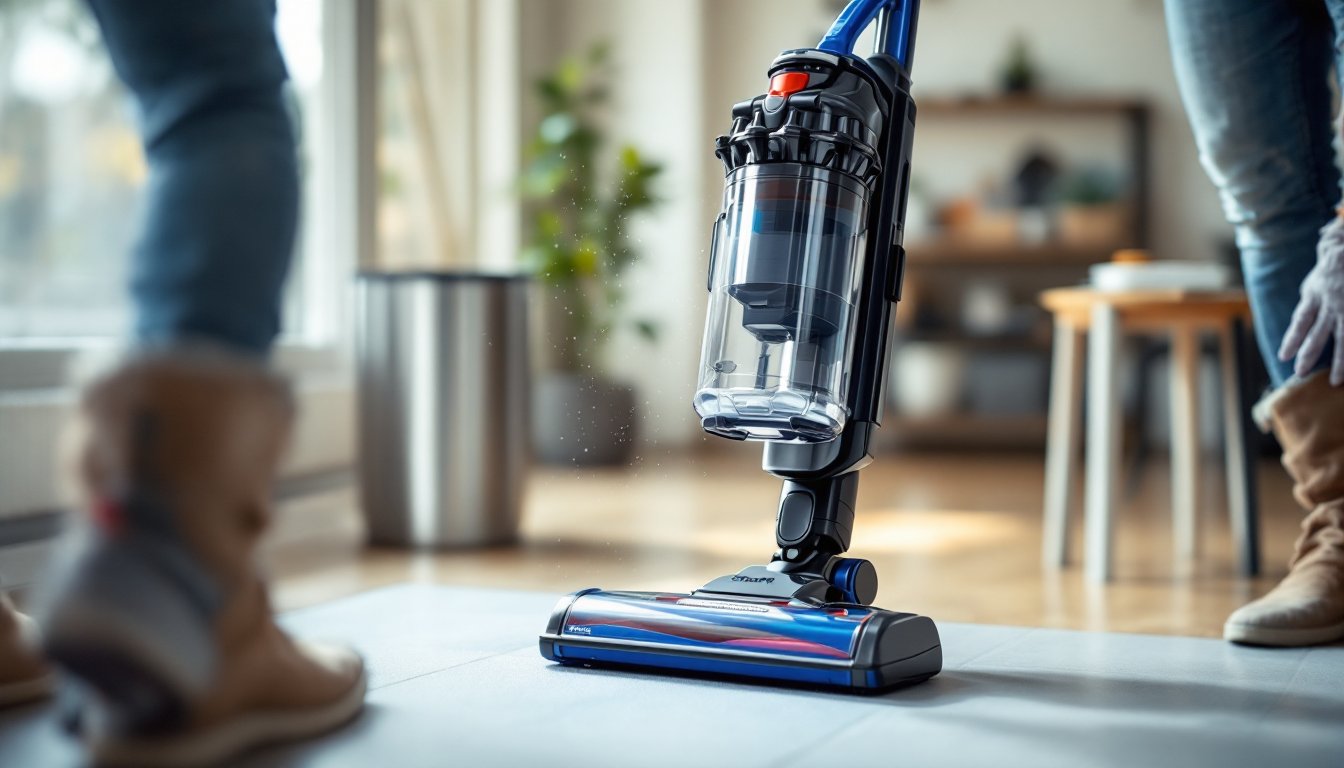
ToggleEmptying a Shark vacuum might seem straightforward, pop it open, dump the dirt, done, but there’s more to it than meets the eye. If you’ve owned your Shark for any length of time, you’ve probably noticed that a half-full bin performs worse than you’d expect, or that dust clouds kick up when you’re dumping. These aren’t quirks: they’re signs of improper maintenance. Learning how to empty a Shark vacuum correctly keeps suction strong, protects your lungs from airborne dust, and extends the life of your filter and motor. Whether you own an upright, a stick model, or a handheld Shark, the process is similar enough that once you nail it, you’ll wonder why you ever struggled. Let’s walk through it step by step.
Key Takeaways
- Empty your Shark vacuum when the bin reaches half-full to maintain strong suction and prevent motor strain, rather than waiting until it’s completely full.
- Always wear a dust mask and eye protection when emptying the dustbin, and dispose of debris outdoors or in a well-ventilated area to protect your lungs from allergens and fine particles.
- Clean the primary filter every time you empty the bin by gently tapping and dry-brushing it, and wash it under cool water if it’s heavily soiled, allowing 24 hours to air-dry before reinstalling.
- Locate the dustbin release button (usually color-coded red or black on the side of the unit), press it firmly, and pull the bin straight away from the motor head until you hear a click.
- Reinstall the dustbin by pushing it firmly into the motor head until it clicks into place, and run your vacuum briefly to confirm suction strength is restored.
- Replace your Shark vacuum filter every 3 to 6 months depending on usage, and never operate the vacuum without a filter installed, as this damages the motor and impeller irreparably.
Why Proper Emptying Matters for Your Shark Vacuum
A lot of homeowners treat the dustbin like a trash can: fill it until it’s full, then empty it. But vacuums don’t work that way. When the bin gets too full, or even three-quarters full in some models, airflow drops sharply. The motor has to work harder, suction weakens, and you’re essentially dragging a heavy container around without getting floors clean.
More importantly, a clogged bin puts stress on the motor and can trigger thermal overload shutdowns. If your Shark keeps cutting off mid-clean, the bin is often the culprit. The filter works harder too, which means it clogs faster and needs cleaning more frequently. Regular, proper emptying (ideally when the bin reaches half-full) keeps everything running efficiently.
There’s also a health angle here. When you empty a dustbin carelessly, you’re inhaling a plume of fine dust, pet dander, and allergens. Shark vacuum bins are designed to contain this, but only if you follow the correct release and disposal steps. Think of it like opening a pressurized container, do it right, and the dust stays contained. Do it wrong, and it clouds up in your face.
Locate and Release the Dustbin
Finding the Release Button
Every Shark vacuum has a dustbin release mechanism, but the location varies depending on your model. On most uprights and stick vacuums, you’ll find a release button on the side of the unit, near where the bin connects to the motor head. It’s usually a small button, sometimes labeled with an icon of a bin separating, and it’s color-coded (often red or black) to stand out.
To find yours, turn the vacuum off and unplug it from the wall. Set it on a flat surface and look at where the clear or translucent bin meets the main body of the vacuum. Run your fingers along the seam. You’ll feel a raised button or lever. If you’ve got a cordless Shark, the release is often on the side of the bin itself, closer to your hand when you’re holding the unit.
If you can’t locate it visually, consult your manual, Shark provides PDF manuals online for most models, and a quick search for your model number will get you there. Don’t force anything: if you’re pulling hard and nothing budges, you’re likely pressing the wrong spot.
Once you’ve found the button, press it firmly (or sometimes twist it, depending on the model) and pull the bin straight away from the motor head. You should hear or feel a click as it releases. Some models require you to press the button and pull simultaneously: others let you release first, then remove the bin. The key is a straightforward, deliberate motion, no yanking or twisting unless the manual says otherwise.
Empty the Dustbin Safely
Disposing of Dust and Debris
Now that your bin is detached, carry it to a trash can or outside (if possible). Before you open it, put on a dust mask or respirator and eye protection, ANSI-rated safety goggles are ideal. Even though the bin is designed to contain dust, the act of opening and shaking it loose can still release a small cloud, especially if the filter is clogged.
Over the trash can, press or slide the bottom lid open (most Shark bins have a latch or button at the base). Tap the sides of the bin sharply to dislodge stubborn debris. If you’ve got pet hair tangled around the impeller blades at the bottom, gently pull it away by hand or use a small brush to loosen it. Don’t stick your fingers too far into the bin, you’re just clearing obvious clogs.
For sticky or compacted dust, a gentle shake works better than aggressive banging. You don’t want to crack the plastic. If dust isn’t falling freely, the filter is likely clogged: we’ll address that next.
Once the bin is as empty as you can get it, close the bottom latch firmly and set the bin aside. Don’t empty it indoors unless absolutely necessary: that dust goes everywhere, and no mask catches all of it. If you live in an apartment or it’s raining, consider emptying your Shark on a porch or patio, or take the bin to a garage. Your lungs and your floors will thank you. Homeowners with allergies should take extra care here and consider wearing a properly fitted dust mask during disposal.
Clean the Filter While You’re At It
This is where most people fall short, and it’s why their Shark vacuums lose suction over time. Every time you empty the bin, you should check the primary filter (usually a pleated cylindrical or cartridge filter located above or inside the dustbin area).
First, visually inspect it. If it’s visibly gray or caked with dust, it needs cleaning. Tap it gently against the trash can over the bin to knock loose debris. Use a dry brush (an old toothbrush works, but a soft-bristled detail brush is better) to gently comb the pleats and remove compacted dust. Brush in the direction of the pleats, not across them, to avoid damaging the filter material.
If the filter is heavily soiled or hasn’t been cleaned in a few months, a rinse under cool running water can help. Some Shark filters are washable: check your manual to confirm yours is. Hold it under a light stream of tap water and use your fingers or a soft brush to gently loosen buildup. Never use hot water or a harsh spray, you’ll tear the filter. Let it air-dry completely (at least 24 hours) before reinstalling. A damp filter will damage your motor.
For filters that can’t be washed or are beyond cleaning, Shark replacement filters cost between $25 and $50 depending on the model. A step-by-step guide to cleaning your Shark vacuum provides detailed instructions for different filter types.
Never run your vacuum without the filter in place, even for a few seconds. The motor and impeller will ingest dust directly, shortening their lifespan dramatically. If your filter is destroyed, replace it before using the vacuum again.
Reassemble and Maintain Regularly
With your bin emptied and filter cleaned (or replaced), slide the dustbin back into the motor head. Push it firmly until you hear or feel it click into place. The button you pressed to release it should pop back out automatically when the bin is seated. If it doesn’t, you haven’t fully inserted the bin, back it out and try again.
Power on your vacuum and run it for a few seconds. If suction feels strong and normal, you’re good to go. If it’s weak, double-check that the bin is fully clicked in and that the filter is completely dry and properly seated.
Make emptying part of your routine. Empty the bin when it reaches about half-full, not when it’s overflowing. This keeps suction consistent and protects your motor and filter from unnecessary strain. If you vacuum multiple times a week or have pets, you might empty it daily. If you vacuum once a week in a smaller home, every other week is probably fine.
Check and clean the filter every time you empty the bin, or at minimum every two weeks. Replace it every 3 to 6 months depending on use. Homeowners looking for more comprehensive maintenance guidance can explore home cleaning tips and vacuum care to keep all their appliances in top shape.
Keep your manual handy and reference it if anything feels different during operation. Small habits, emptying regularly, cleaning filters, and checking for clogs, are what keep a Shark vacuum running like new for years.